
One app for the whole job
Crewato brings quoting, scheduling, invoicing and payments together — with the back-office extras growing crews actually need.
Invoicing & card payments
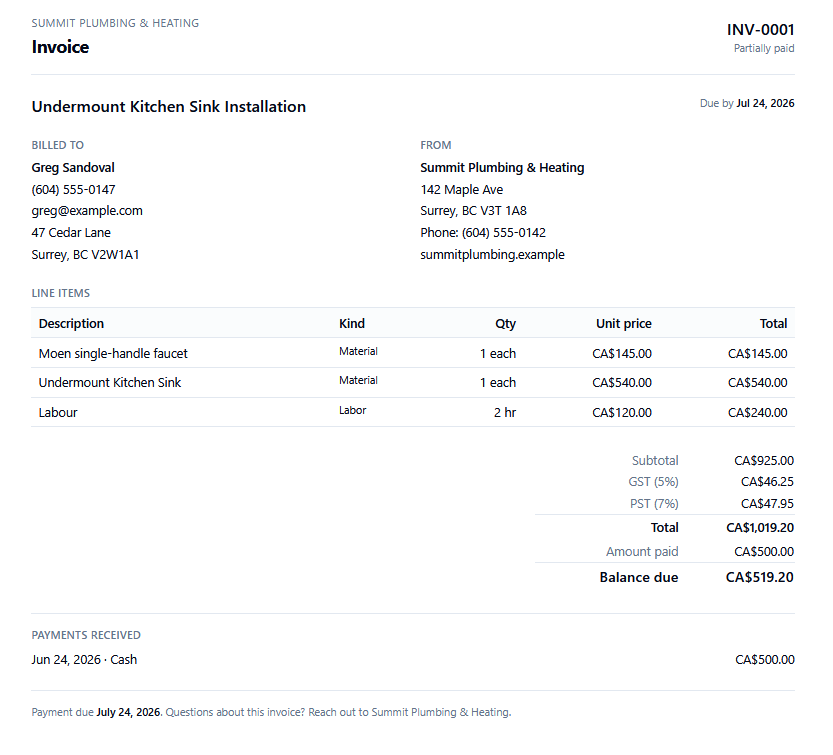
Generate branded invoices straight from a completed work order, then let customers pay by card through a secure checkout on your own connected account. Record cash, cheque and bank-transfer payments too, with automatic status tracking from sent to paid.
- One-click invoice from a work order
- Online card payments via Stripe Connect
- Cash / cheque / bank-transfer recording
- Auto overdue + partial-payment tracking
SMS appointment reminders
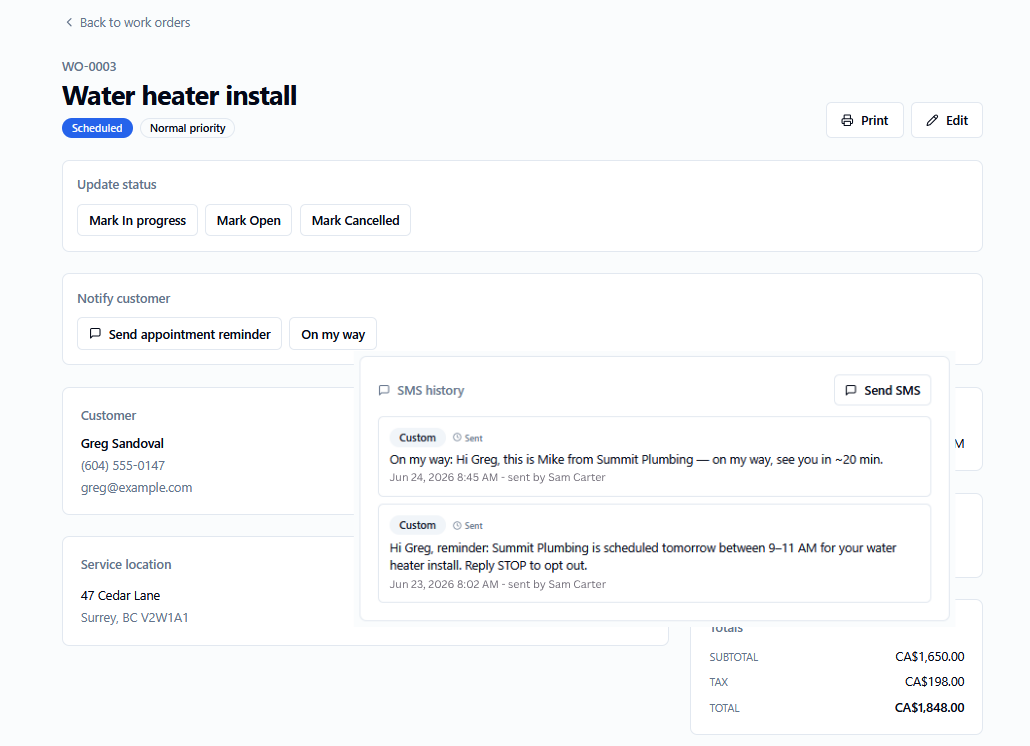
Crewato texts your customers a reminder before the appointment and lets your techs fire a one-tap “on my way” message. Customers can reply STOP to opt out — handled for you, the right way.
- Automatic 24-hour and 1-hour reminders
- One-tap “on my way” from the job
- Per-customer SMS history
- Built-in STOP opt-out handling
Customer portal
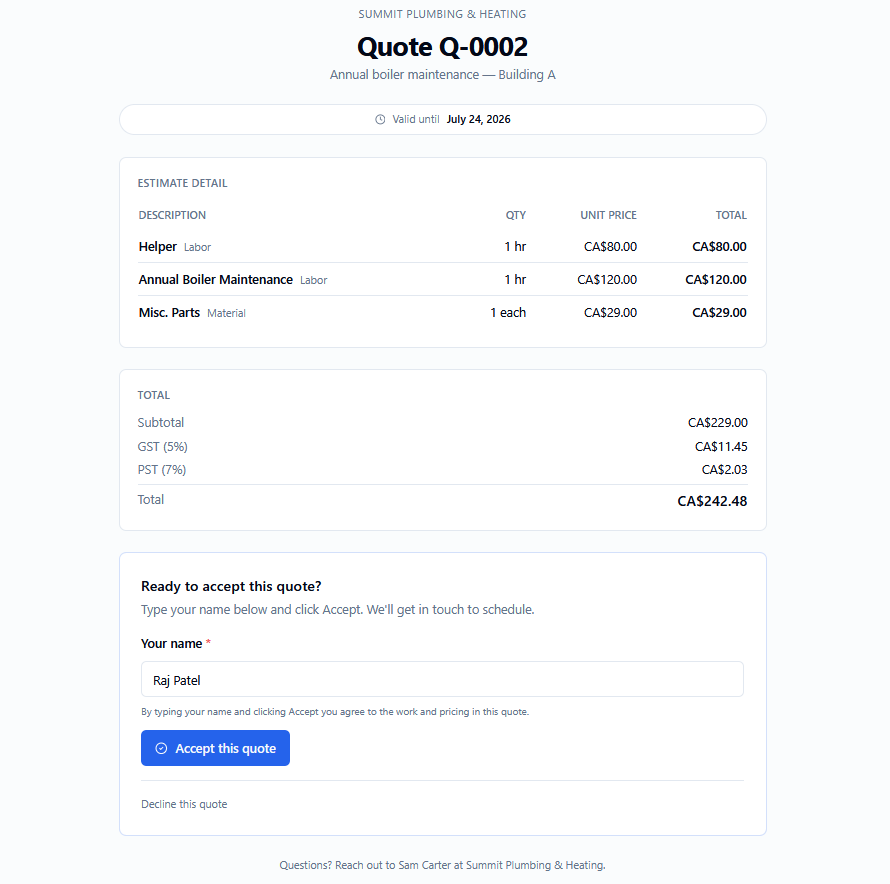
Every quote and invoice gets a private magic-link portal. Customers review the full breakdown, accept a quote with a typed signature, or pay an invoice online — all without creating an account.
- Magic-link access, no passwords
- E-signature quote acceptance
- Online invoice payment
- Mobile-first, on your brand
Scheduling & dispatch
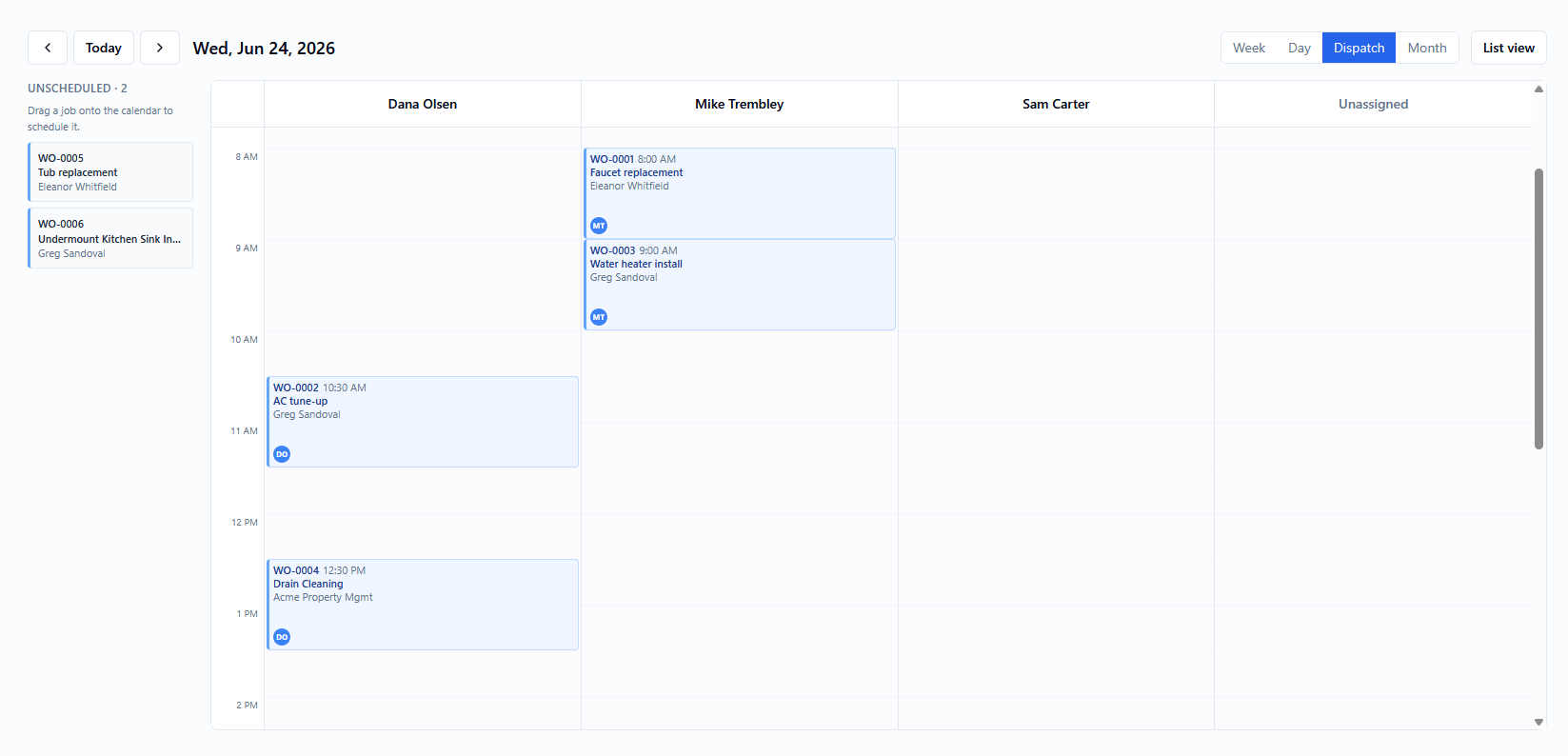
Week, day, month and a per-technician dispatch board. Drag jobs to reschedule, drop them on a tech to assign, and see working hours and time-off at a glance. Built for dispatching a team, not just a solo calendar.
- Drag-to-reschedule + resize
- Drop-to-assign dispatch board
- Technician availability & time-off
- Job peek: call, text, email, assign
Recurring jobs & contracts
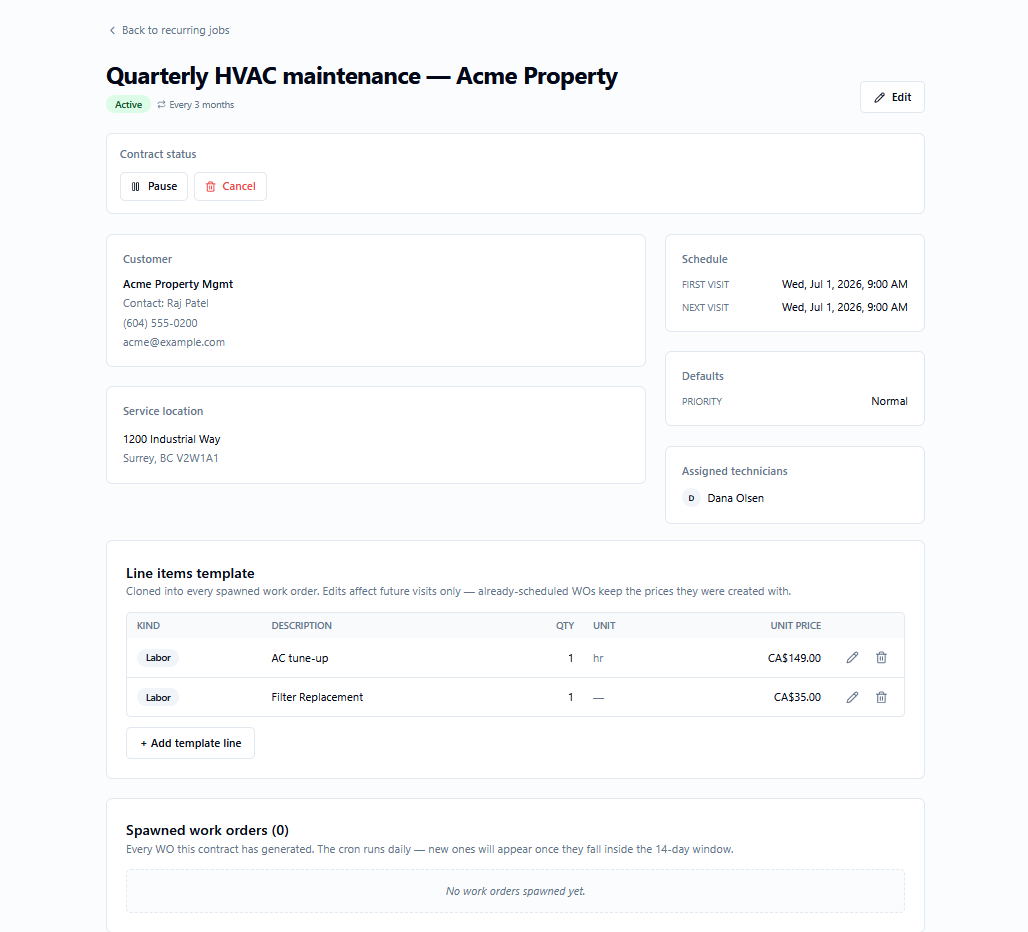
Define a maintenance schedule — weekly, monthly, “every 2 weeks on Tue & Fri” — and Crewato spawns the work orders automatically, with the right line items, crew and pricing each time.
- Flexible recurrence rules
- Auto-spawned work orders
- Inherited crew, items & pricing
- Optional auto-draft invoice on completion
Job profit & margin tracking
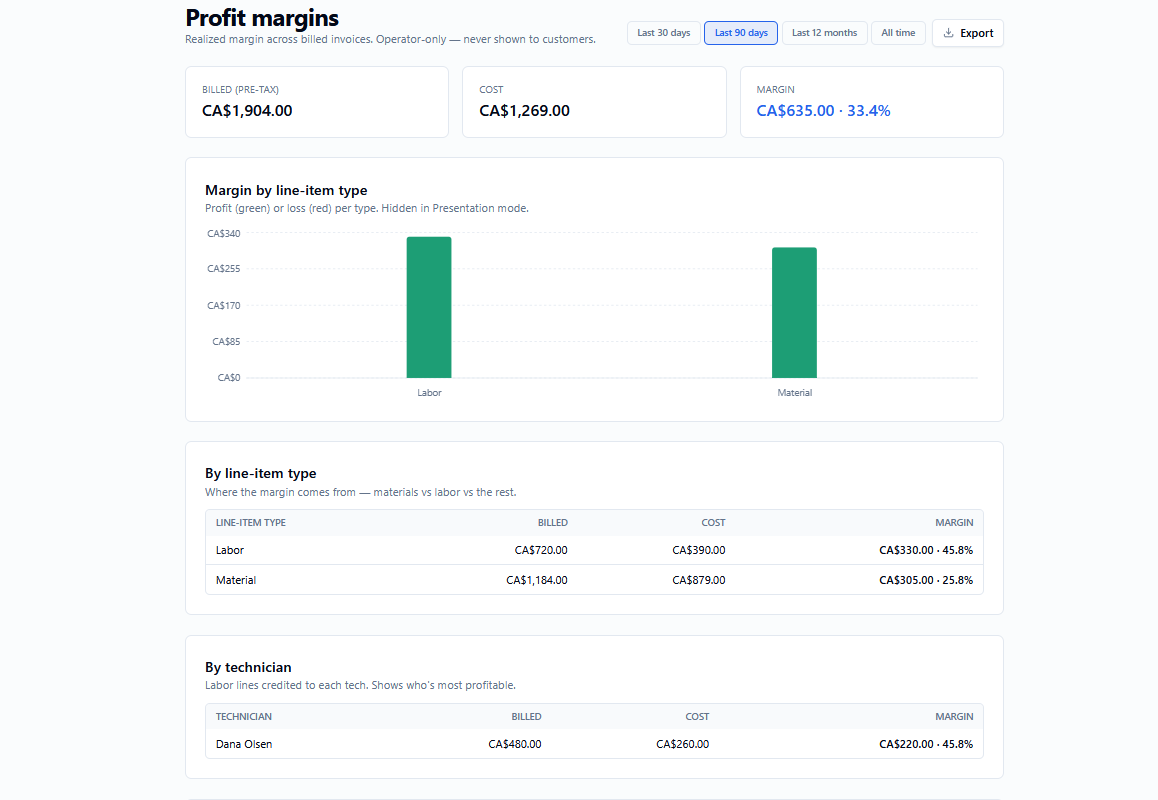
Track estimated and actual cost per line, per-technician labor rates, and margin roll-ups across work orders, quotes and invoices. A presentation mode hides costs when you screen-share with a tech.
- Estimated vs. actual cost per line
- Per-technician labor rates
- Margin reports by job, tech & customer
- Cost-masking presentation mode
Built for real-world billing
The details that separate a toy from a tool you can run a business on.
Multiple taxes
Define named tax rates, bundle them into groups, and apply the right combination per line item — with a per-rate breakdown on every customer document and a remittance report at tax time.
- Named rates + tax groups
- Per-rate breakdown on documents
- Registration numbers on invoices
- Remittance report + export
Deposits & progress billing
Request a percentage or fixed deposit on a quote. When the customer accepts, Crewato issues a deposit invoice and credits it against the final invoice automatically.
- Percent or fixed deposit
- Auto deposit invoice on acceptance
- Credited on the final invoice
- Tax counted once, correctly
Online booking & job requests
Share a booking link so customers can request work with the details you need. Requests land in an inbox where you triage them into an assessment, quote or work order in a click.
- Branded public booking page
- Spam-guarded intake
- One-click triage to quote / WO
- Auto customer matching
Assessments
Some jobs need a look before you can quote. Assessments are a first-class record you can schedule and dispatch on the board, then convert into a quote or work order — with an optional assessment fee.
- Schedule & dispatch on the board
- On-site or phone assessments
- Optional assessment fee
- Convert to quote or work order
Be first on the tools.
Crewato is rolling out to trades businesses now. Join the waitlist and we’ll reach out with early access — and lock in launch pricing.
No spam. We’ll only email you about early access.